🇬🇧 Read in English · 🇮🇳 Hinglish me padhiye
⏳ Coming soon — being tested now, opens for everyone after Google verification. · Jald aa raha hai — abhi testing chal rahi hai.
🇬🇧 English
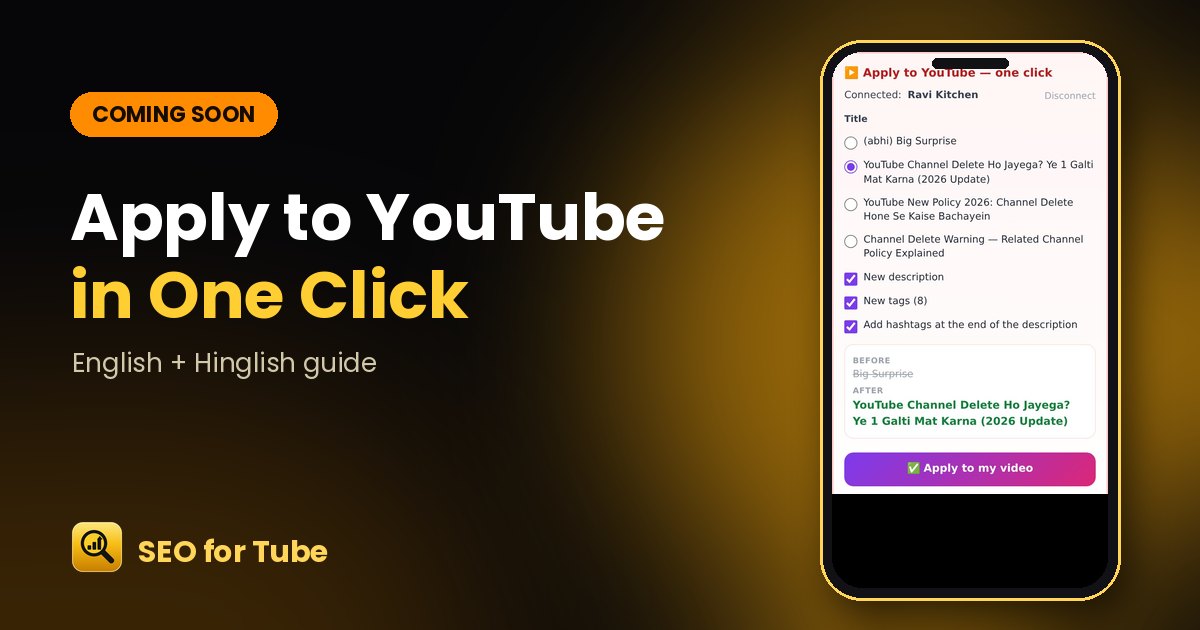
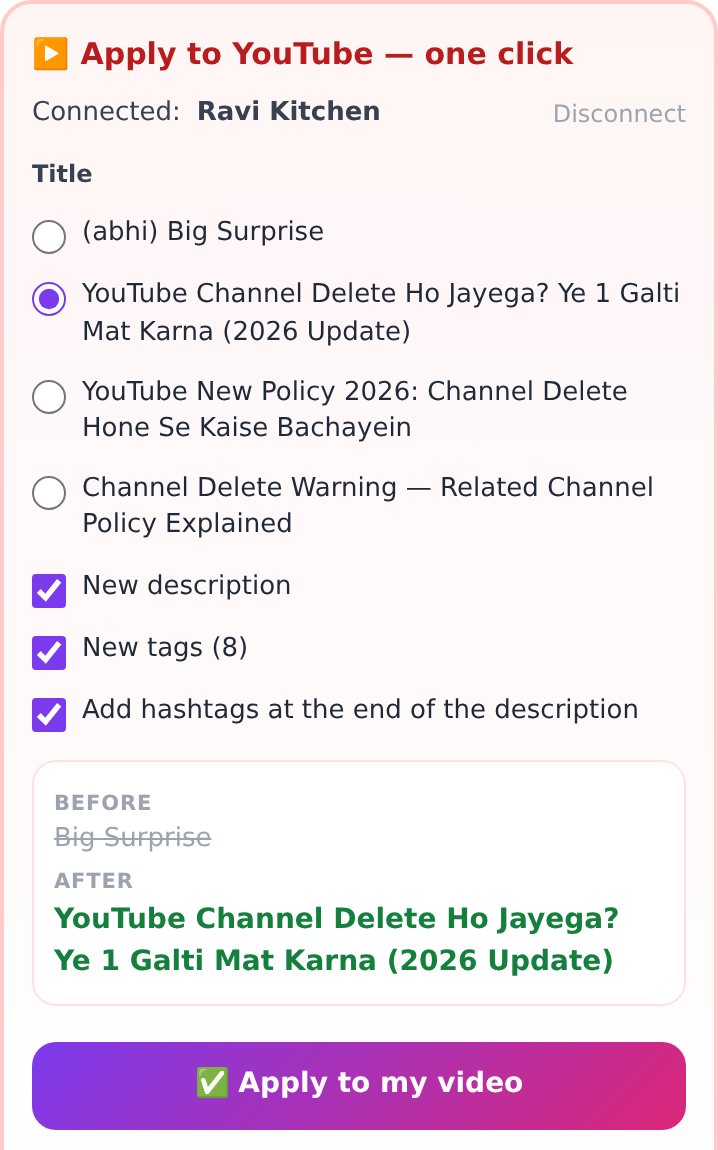
Coming soon: no more copy-paste into YouTube Studio. Pick a better title, description and tags, see the before and after, and press “Apply to my video” — with Undo if you change your mind.
How it works
- Run “Fix an old video” in the SEO Generator.
- Connect your YouTube channel once.
- Choose the title and tick description, tags and hashtags.
- Check the before/after and tap Apply — or Undo later.
Why it helps
- Only your own connected channel’s videos can be changed.
- Category, language and other settings stay as they are.
- Nothing changes without your confirmation.
FAQ
When will it be available?
It is being tested and will open for everyone after Google’s verification.
What exactly gets changed?
Only the title, description and tags you choose — never the video, thumbnail or privacy.
🇮🇳 Hinglish
Jald aa raha hai: YouTube Studio me copy-paste ki zaroorat khatam. Behtar title, description aur tags chuniye, pehle aur baad dekhiye, aur “Apply to my video” dabaiye — mann badle to Undo bhi.
Kaise kaam karta hai
- SEO Generator me “Fix an old video” chalaiye.
- Ek baar apna YouTube channel jodiye.
- Title chuniye aur description, tags, hashtags par tick lagaiye.
- Before/after dekh kar Apply dabaiye — ya baad me Undo.
Kyon faydemand hai
- Sirf aapke jode hue channel ke videos badle ja sakte hain.
- Category, bhasha aur baaki settings waisi hi rehti hain.
- Aapki confirmation ke bina kuch nahi badalta.
Aksar pooche jaane wale sawaal
Kab milega?
Testing chal rahi hai; Google verification ke baad sabke liye khulega.
Kya-kya badalta hai?
Sirf aapka chuna title, description aur tags — video, thumbnail ya privacy kabhi nahi.