🇬🇧 Read in English · 🇮🇳 Hinglish me padhiye
🇬🇧 English
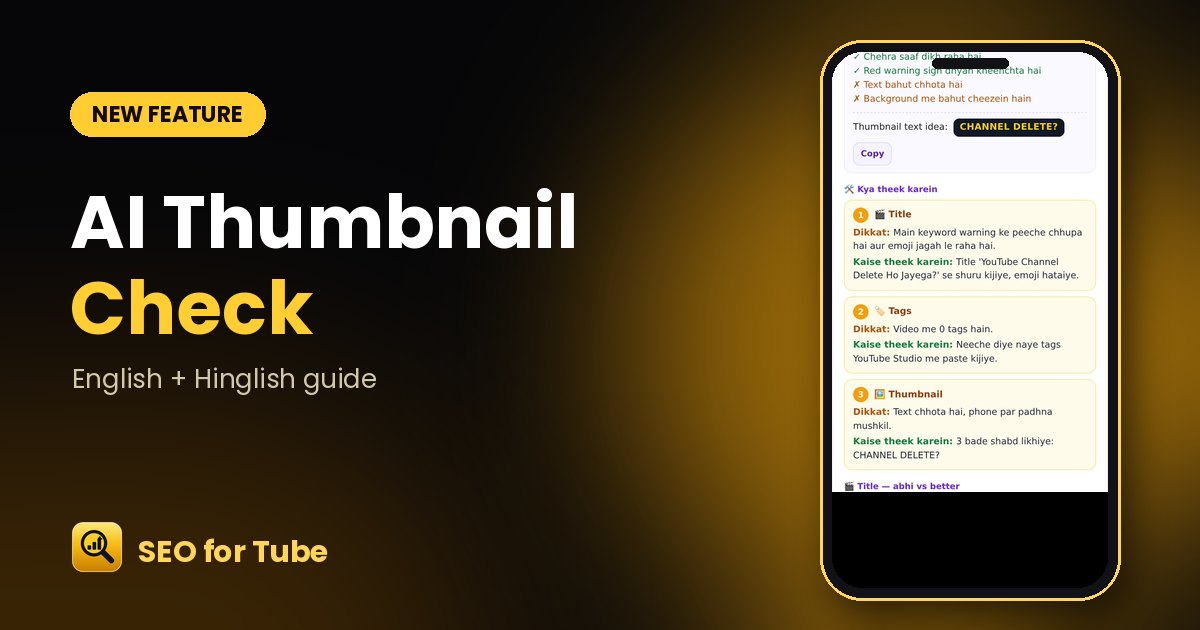
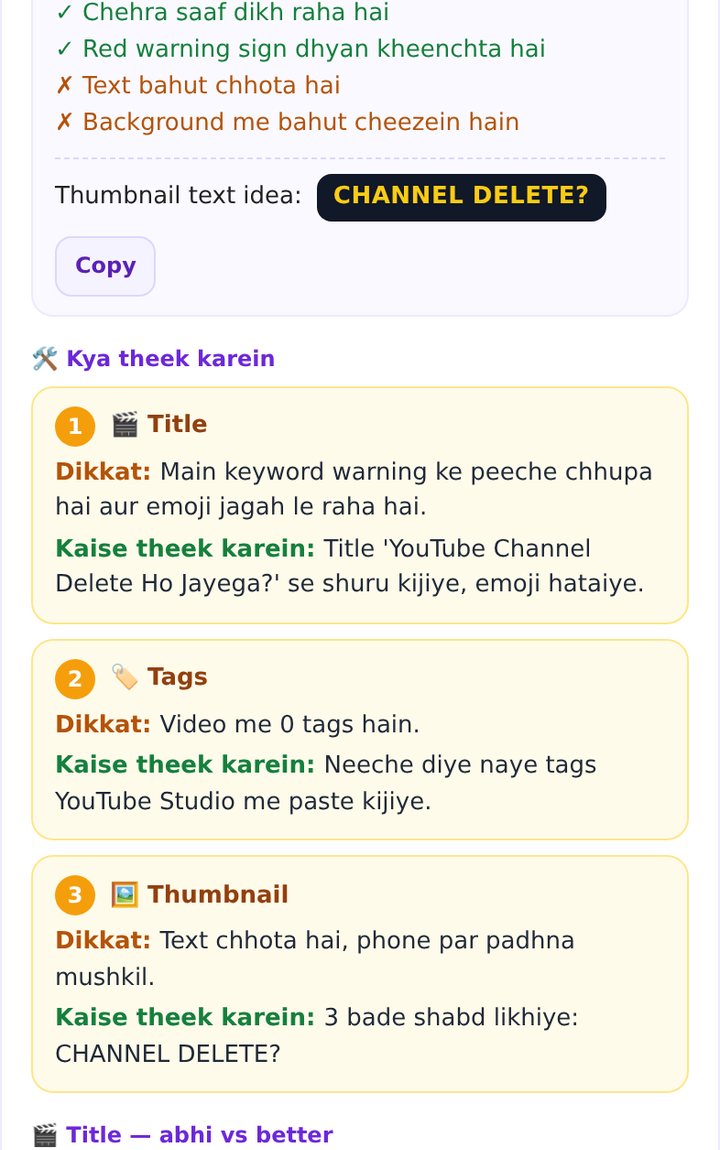
A thumbnail decides the click. When you fix an old video, the AI now looks at the real thumbnail and tells you what works, what to improve, and suggests big thumbnail text — next to a numbered list of problems and fixes.
How it works
- Run “Fix an old video” on any uploaded video.
- Open the “🖼️ Thumbnail check” section.
- See ✓ what works and ✗ what to change, plus a thumbnail text idea.
- Follow each numbered “Problem → How to fix” card.
Why it helps
- Feedback based on your actual image, not a template.
- Every problem comes with a concrete fix.
- Short, phone-friendly advice in simple language.
FAQ
What makes a good thumbnail?
One clear face or object, 2–4 big words, strong contrast, and nothing important in the bottom-right corner.
Can it create the thumbnail too?
Use the Thumbnail Prompt in Video Planner to get ready prompts for ChatGPT or Gemini.
🇮🇳 Hinglish
Click thumbnail se hi aata hai. Purana video fix karte waqt ab AI aapki asli thumbnail dekhta hai aur batata hai kya achha hai, kya sudhaarna hai, aur thumbnail par kaunse bade shabd lagayein — saath me har kami aur uska hal.
Kaise kaam karta hai
- Kisi uploaded video par “Fix an old video” chalaiye.
- “🖼️ Thumbnail check” hissa kholiye.
- ✓ kya achha hai, ✗ kya badlein, aur thumbnail text ka idea dekhiye.
- Har numbered “Dikkat → Kaise theek karein” card follow kijiye.
Kyon faydemand hai
- Salah aapki asli image dekh kar, template se nahi.
- Har kami ke saath saaf hal.
- Chhoti, phone par padhne layak saadhi bhasha.
Aksar pooche jaane wale sawaal
Achhi thumbnail kaisi hoti hai?
Ek saaf chehra ya cheez, 2–4 bade shabd, tez rang aur neeche-daayein kone me kuch zaroori nahi.
Kya yeh thumbnail bana bhi deta hai?
Video Planner ke Thumbnail Prompt se ChatGPT ya Gemini ke liye ready prompt milte hain.