YouTube Tag Generator
Paste your topic. Get tags people actually search for — in your own language.
Tags copied!
Now get a viral title, description and hashtags for this same video — free account, takes one tap.
Continue with Google Sign up with email — freeTags tell YouTube what your video is about. They are not a magic ranking switch — the title, thumbnail and watch time matter far more — but they do help YouTube place your video next to the right ones, and they help viewers find it through search and suggested videos.
The hard part is knowing which tags are worth using. Most creators type whatever comes to mind, or copy tags from a big channel whose audience is nothing like theirs. This tool does the opposite: it starts from the phrases people are really typing into YouTube, and builds the list from there.
What’s new in the tag generator
Every tag is now scored and packed into a “YouTube Studio ready” set that always fits the 500-character tag box, with your main keyword first. Tap ✕ on a tag you don’t want and the next best one fills the space.
You can also see what people really search on YouTube for your topic, the tags the top-ranking videos actually use (with a count), and — if your video is already uploaded — which of its current tags to add, keep or drop.
What this tool actually does
You give it your video topic in a single line — for example “paneer tikka without oven” or “YouTube monetization 2026 rules”. It then pulls the real search suggestions YouTube shows for that topic, reads them, and builds a tag list around them.
You get back your main keyword, close variations, long phrases that are easier to rank for, and related terms your video should be associated with. Everything comes with a copy button, so it goes straight into the tag box of your upload.
Hindi, Hinglish and English
Most tag tools are built for English-speaking creators, so Indian creators end up with tags nobody searches. This one works in the language your audience actually types — Hindi, Hinglish, English, and other Indian languages.
In practice a mix works best. Someone searching for a cooking video may type “paneer tikka recipe”, “पनीर टिक्का”, or “paneer tikka banane ka tarika” — all three deserve a place in your tags.
How many tags to use
YouTube allows 500 characters in total for tags. That usually means 15 to 30 tags, depending on how long each one is. Filling all 500 characters with loosely related words does not help; a shorter, accurate list does more.
A sensible shape: your exact topic first, then three or four close variations, then a handful of longer, specific phrases, then your channel or brand name. Put the most important tag first — YouTube gives the early ones more weight.
Tags, hashtags and keywords are not the same thing
Tags are hidden; only YouTube reads them. Hashtags are visible above your title and are clickable. Keywords are the phrases you also put in the title and description, where they matter most.
A good upload uses all three, and they should agree with each other. If your title says one thing and your tags say another, you are telling YouTube two different stories about the same video.
How to use it
- Write your video topic in one line — be specific, not clever.
- Choose your language, so the tags match how your viewers search.
- Press generate and wait a few seconds while real YouTube searches are pulled in.
- Copy the tags and paste them into the tag box when you upload.
Questions creators ask
Is the YouTube tag generator free?
Yes. You can generate tags on the free plan without paying. Paid plans exist for creators who need a higher daily limit and the other tools, but tag generation itself is available to everyone.
Do tags still work on YouTube in 2026?
They help, but they are a small signal. YouTube has said the title, thumbnail, description and how long people watch matter more. Tags mainly help with spelling variations, other languages, and being suggested alongside similar videos.
How many tags should I add to a video?
Usually 15 to 30, inside YouTube's 500-character limit. Accuracy matters more than quantity — unrelated tags do nothing and can confuse YouTube about who to show your video to.
Can I get tags in Hindi or Hinglish?
Yes. Choose your language before generating and the tags come back in that language, including Hinglish, which is how a large number of Indian viewers actually type.
Can I copy tags from another channel?
You can look at them for ideas, but copying a big channel's tags rarely helps. Their audience, size and video style are different, and YouTube judges your video on its own content.
Where do I paste these tags?
In YouTube Studio, open your video, go to Details, scroll to “Tags” (under Show more), and paste them there separated by commas.
📚 Guides for this tool
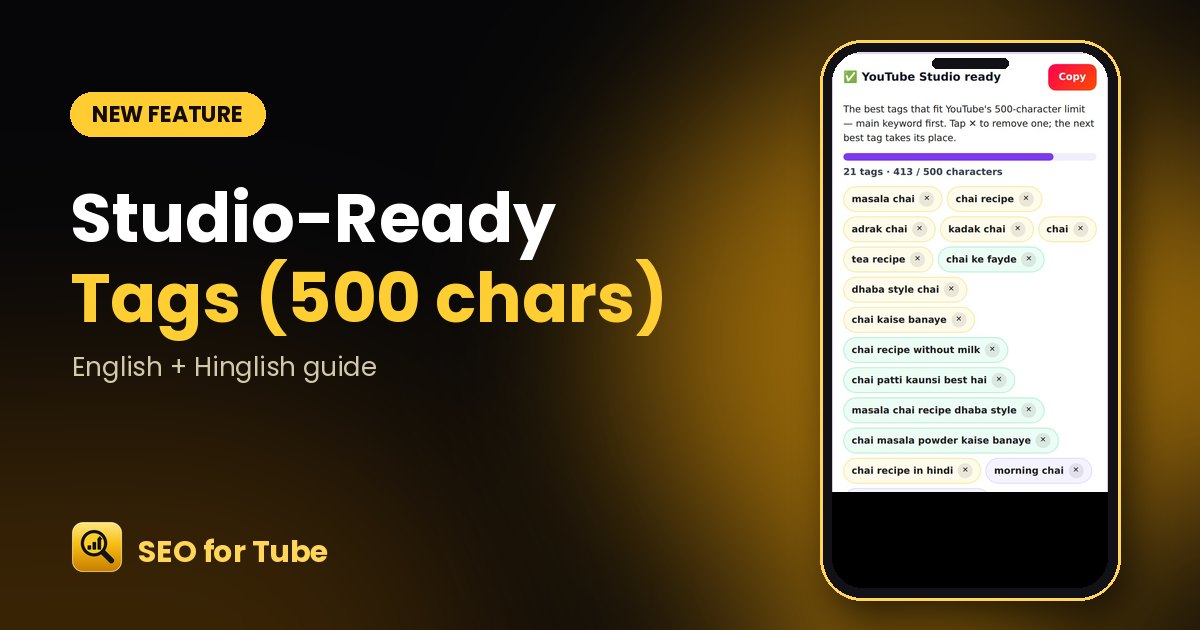 YouTube Tag Generator: Studio-Ready Tags That Fit the 500-Character LimitGet the best YouTube tags packed into YouTube Studio’s 500-character box, main keyword first. Tap ✕ to remove…
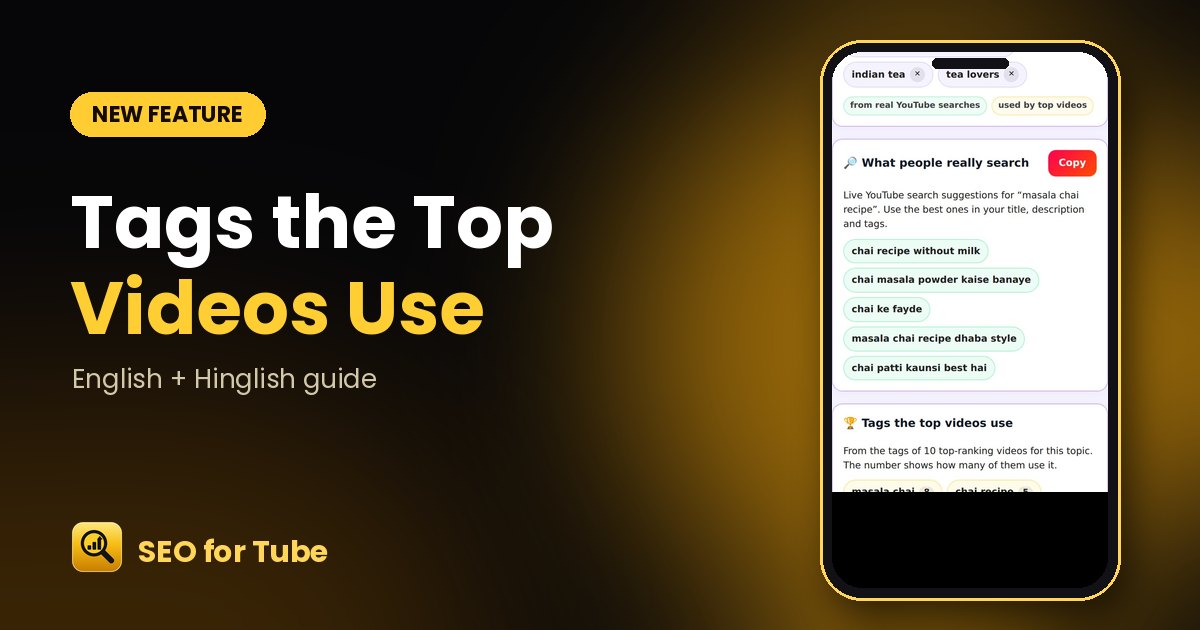 See the Tags Top YouTube Videos Use + Real SearchesFind which tags the top-ranking videos for your topic actually use, how many of them use each, and what peopl…
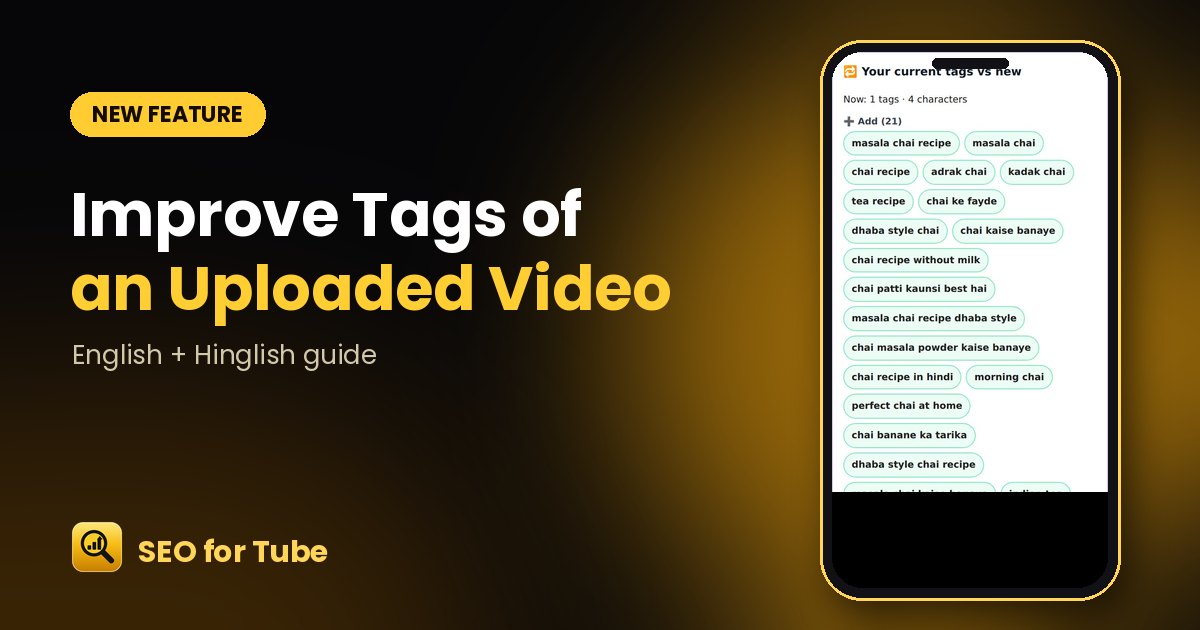 Improve the Tags of an Uploaded YouTube Video: Add, Keep, DropPaste your video link: we read its current tags and show which to add, keep and drop, with a new Studio-ready…
 Your Queries: Real YouTube Searches for Your TopicSee what people actually type on YouTube for your topic and use those searches in your title, description and…