YouTube Title Generator
Ten titles for your topic. Pick the one that is true and still makes people curious.
Get my titles freeThe title is the only part of your video a viewer reads before deciding. It sits next to the thumbnail in the feed, it is what a search is matched against, and it is the line that appears when someone shares your video.
This tool writes several options for one topic so you are choosing between titles rather than staring at an empty box — and each one is built around the phrases people are actually searching for.
What makes a title work
A working title does three things at once: it contains the phrase people search, it makes a clear promise, and it fits on a phone screen without being cut — roughly 60 characters.
Curiosity helps, but it must be honest. A title that promises something the video does not deliver gets clicks and then loses the viewer in seconds, which tells YouTube not to show it again.
Where the search phrase should sit
Put the main phrase near the front. On phones, long titles are cut, and a phrase that lands after the cut is much less useful.
For example "Paneer tikka without oven — restaurant style at home" works better than "Restaurant style recipe you will love — paneer tikka without oven".
Hindi, Hinglish or English?
Write the title the way your viewers type. Hinglish titles usually perform best for Indian creators, because that is how most people search, even for technical topics.
Mixing scripts is fine and common. What matters is that the phrase in the title matches the phrase being searched.
Changing the title of an old video
You can, and it is often the quickest improvement available. If a video has a weak title but decent watch time, rewriting the title gives YouTube a reason to test it again.
Change one thing at a time and give it a couple of weeks before judging the result.
How to use it
- Write what the video is about in one line.
- Choose your language.
- Generate and read the options out loud — the one that sounds natural usually wins.
- Edit the chosen title in your own words before uploading.
Questions creators ask
Is the title generator free?
Yes, you can start free. Paid plans are for higher daily limits and the other tools.
How long should a YouTube title be?
Around 60 characters is safe. Anything longer is often cut off on phones, which is where most viewers see it.
Are clickbait titles a good idea?
Curiosity is fine; lying is not. If the video does not deliver what the title promised, viewers leave quickly and YouTube stops recommending it.
Should I put my channel name in the title?
Usually no. It takes space that a search phrase could use. Your channel name already appears under the title.
Can I get titles in Hindi?
Yes — Hindi, Hinglish, English and other Indian languages. Choose the language before generating.
Will changing my title reset the video's performance?
No, the video keeps its views and comments. YouTube simply re-evaluates it, which is usually what you want for an underperforming video.
📚 Guides for this tool
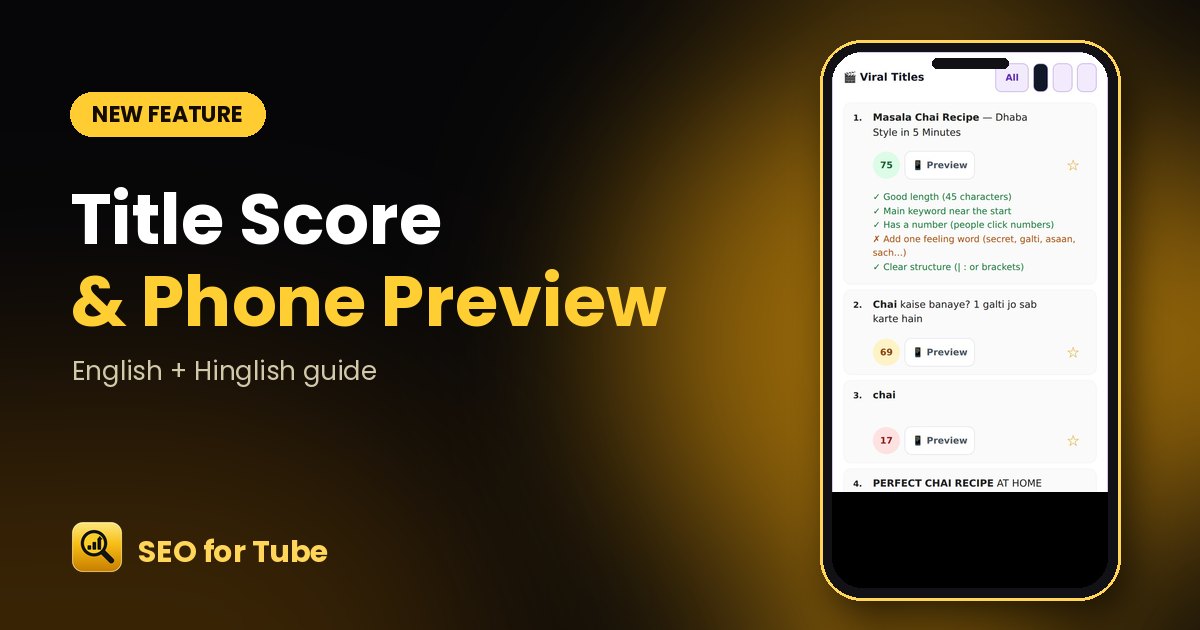 YouTube Title Score Checker: Know if Your Title Gets ClicksScore every YouTube title from 0–100, see why, and preview how it looks on a phone before you publish. Free i…
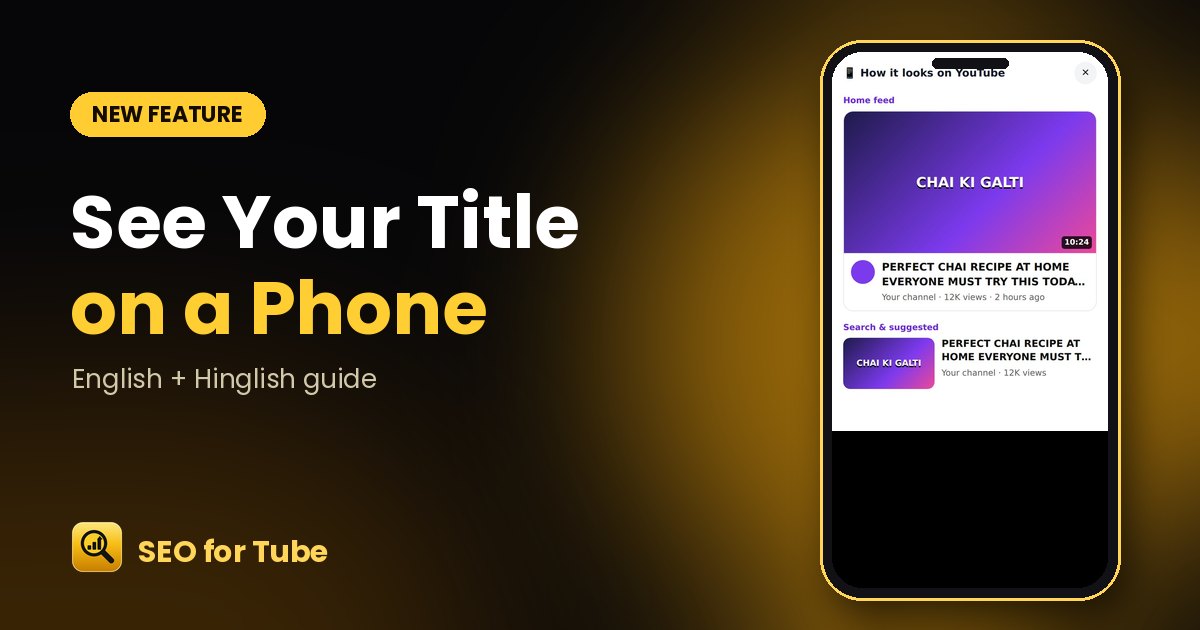 YouTube Title Preview: See How Your Title Looks on a PhonePreview your YouTube title in the home feed and search results before publishing — see exactly where it gets …
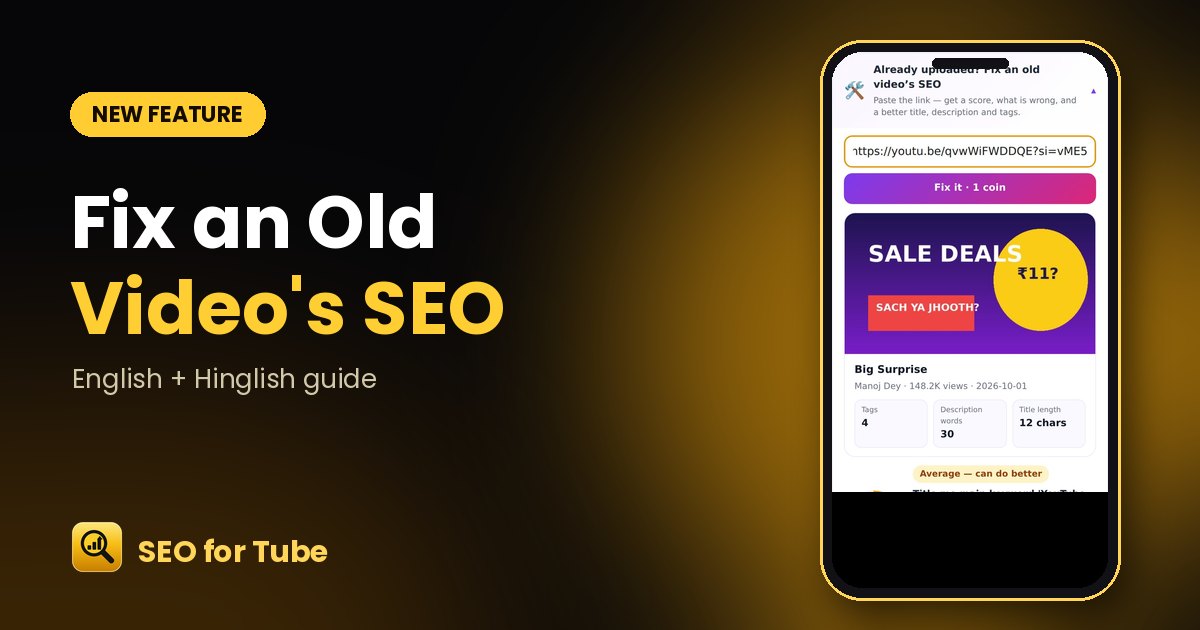 Fix an Old YouTube Video’s SEO: Score, Problems and a Better VersionPaste the link of any uploaded video: get an SEO score, part-by-part scores, clear fixes and a better title, …