Most AI tools write song lyrics in Hindi that sound like a translation from English. Rhymes break, the rhythm feels stiff and regional languages are often ignored. For Indian creators that is a real problem, because the audience you want speaks Bhojpuri, Bangla, Haryanvi or Marathi at home.
Lyrics Writer lets you type any language. Pick it from the list or write your own — Maithili, Kumaoni, Nepali, Tulu — and the whole song is written in that language with natural rhymes.
- Choose from 20 languages or type any other language.
- Pick its own script or English letters (Roman) — many AI singers sing Roman text better.
- Rhymes and rhythm are written for the language, not translated.
Own script or English letters?
Under More options → Letters you can choose Its own script (देवनागरी, বাংলা, ਗੁਰਮੁਖੀ…) or English letters. If your AI music app mispronounces Hindi, try English letters — it often fixes the singing.
Why it matters for Indian creators
Songs are searched again and again for years. A good song video keeps bringing views long after upload, which makes write song lyrics in Hindi one of the best long-term investments for a small channel.
In short: choose from 20 languages or type any other language.
Ideas change with the language you speak
The quick ideas follow the page language. In Hindi you see पहला प्यार or माँ के लिए; in Hinglish Pehla pyaar or Maa ke liye. Tap one, or write your own line.
Good for every regional channel
- Bhojpuri love and folk songs
- Bangla and Odia devotional songs
- Haryanvi and Rajasthani party songs
- Marathi and Gujarati festival songs
Common mistakes to avoid
- Using a real singer’s name or voice without permission.
- Titles without the song name first.
- Forgetting the altered or synthetic label for a realistic AI voice.
- One upload per song instead of a release plan.
Pro tips
- Reply to comments with the next song’s name to build a habit.
- Make a lyrical version — many people search the words, not the singer.
- Add the language in the title for regional songs (e.g. “Bhojpuri Song 2026”).
- Save credits once in the tool so every upload is consistent.
A real example
Raju from Gopalganj makes Bhojpuri wedding songs. English-first tools gave him lyrics that sounded like a school translation. With Lyrics Writer he picks Bhojpuri, writes “bhauji ke liye haldi geet”, and chooses English letters because his AI singer pronounces Roman Bhojpuri better. The rhymes land the way people sing at home. He also tried Maithili for a cousin’s channel by simply typing the language name — no setting needed. Both channels now post songs that people in the comments call “apna gaana”.
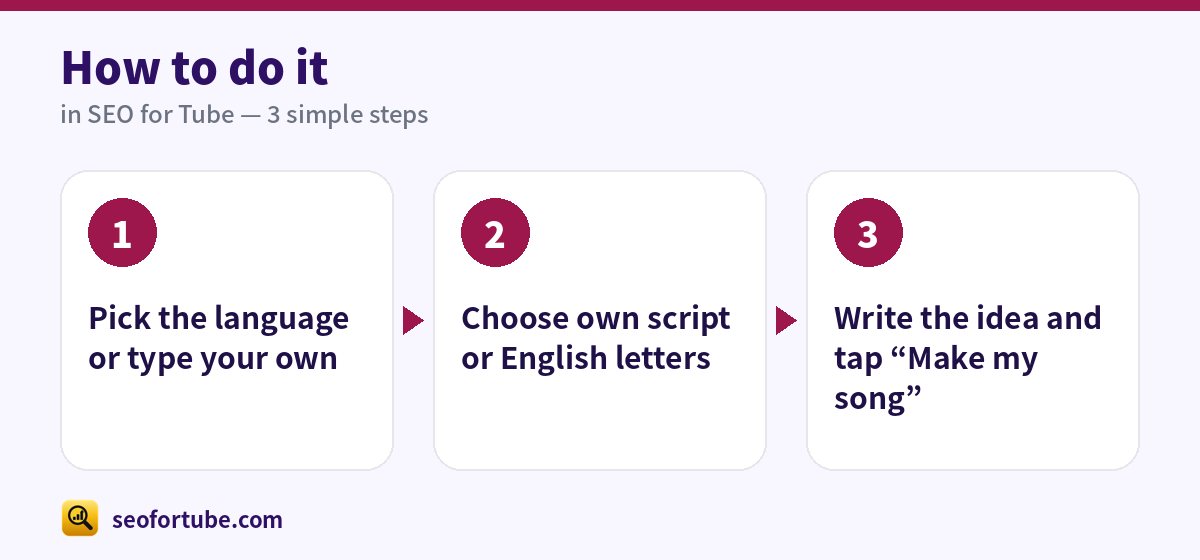
How to do it, step by step
- Pick the language or type your own
- Choose own script or English letters
- Write the idea and tap “Make my song”
Frequently asked questions
Which language is best for AI singers?
Hindi and Hinglish work well. For regional languages, English letters often sound clearer.
Can I mix Hindi and English?
Yes — choose Hinglish, or write the mix you want in the idea.
How many songs should a new music channel upload?
One or two good songs a week with a release plan works better than many rushed uploads.
Which language gets more views for songs?
The language your audience speaks at home. Regional songs often have less competition and very loyal listeners.
Summary
Write Song Lyrics in Hindi, Bhojpuri, Bangla or Any Language with AI: Choose from 20 languages or type any other language. Pick its own script or English letters (Roman) — many AI singers sing Roman text better. Rhymes and rhythm are written for the language, not translated.
Made for Indian creators — Hindi, Hinglish and every regional language, and easy on a phone.
Write your song →