Want to make YouTube Shorts with AI voice but don’t want to show your face, buy a mic or learn editing? SEO for Tube’s Shorts Maker turns your video plan into a finished vertical video: a clear script, a natural AI voice, real stock clips that match each line, and big word-by-word captions.
You choose the topic and the language. The tool does the boring parts — finding clips, timing the voice, placing captions — and hands you an MP4 you can upload the same day.
- It reads your plan, splits it into 5–9 short lines, records each line with an AI voice, finds a stock clip that shows what that line is about, and joins everything into a 1080×1920 video with a hook title on the first seconds and a thin progress bar at the bottom.
- 4 steps: Plan the video → Pick language and voice → Tap “Make the video” → Download and upload.
- Keep the topic narrow: “3 tea mistakes” beats “all about tea”.
Who is this for?
Creators who want to post Shorts daily but don’t want to film themselves, own a mic or learn editing — students, working professionals and shy beginners.
What the Shorts Maker does
It reads your plan, splits it into 5–9 short lines, records each line with an AI voice, finds a stock clip that shows what that line is about, and joins everything into a 1080×1920 video with a hook title on the first seconds and a thin progress bar at the bottom.
Make a Short with AI voice — step by step
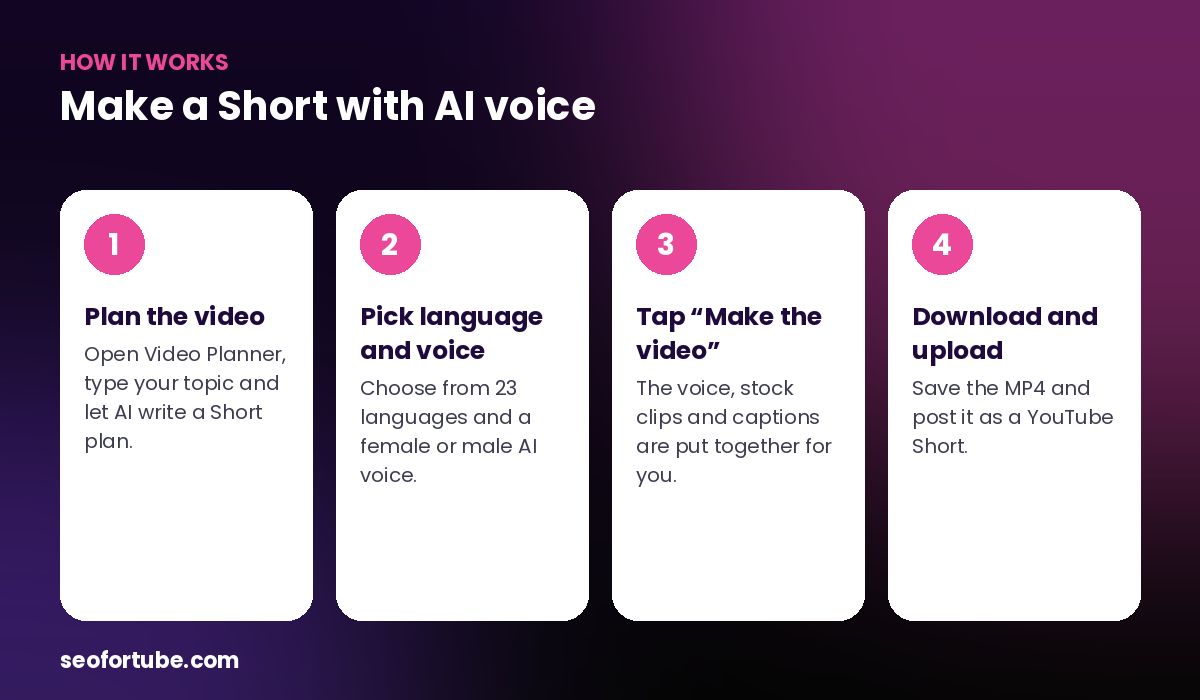
- Plan the video — open Video Planner, type your topic and let AI write a Short plan.
- Pick language and voice — choose from 23 languages and a female or male AI voice.
- Tap “Make the video” — the voice, stock clips and captions are put together for you.
- Download and upload — save the MP4 and post it as a YouTube Short.
Why AI voice Shorts work
Most viewers watch Shorts with the sound on, but they decide in the first two seconds. A steady, clear voice plus captions that light up word by word keeps eyes on the screen. Faceless channels in cooking tips, tech, facts and motivation grow this way every day.
Because each clip is chosen for the exact sentence being spoken, the video feels planned — not like random footage.
What you need
- A topic (for example “3 mistakes while making chai”)
- A plan from Video Planner — the AI writes it for you
- A few coins (the price is shown on the button)
Example: a kitchen-tips Short in 4 minutes
Riya runs a small kitchen-tips channel. She typed “3 mistakes that make chai bitter” into Video Planner. The plan came back with a hook (“Your chai is bitter because of step 2”), five short lines and an ending that asks viewers which mistake they make.
She picked Hinglish and a female voice and tapped “Make the video”. The tool matched a clip of boiling tea to the line about over-boiling, a clip of tea leaves to the line about adding leaves too early, and closed with a steaming cup. Two minutes later she downloaded a 38-second Short with captions — no phone tripod, no editing app.
She posted it at 7 pm, pinned a comment asking “Which mistake do you make?”, and made two more Shorts the same evening from the same plan.
Mistakes to avoid
- A topic that is too wide. “Everything about tea” gives a vague script. One clear promise works better.
- A slow first line. Do not start with “Hello friends”. Start with the result or the problem.
- Ignoring the hook title. Read the title shown in the first seconds — change the plan if it is weak.
- Forgetting to download. Finished videos are removed from the server after a few days.
Smart tips
- Keep the topic narrow: “3 tea mistakes” beats “all about tea”.
- Turn on music only if your topic is calm — for facts and tips, voice alone is clearer.
- Download your video soon — finished videos are kept on the server for a few days only.
- Make 3 Shorts from one long video idea and post them on different days.
Hindi mein samjhein
Shorts Maker se bina camera aur bina editing ke Short banta hai. Topic likhiye, Video Planner plan banata hai, phir “Make the video” dabaiye — AI awaaz, matching stock clips aur bade captions ke saath ready MP4 milta hai.
FAQ
Is the AI voice natural?
Yes — it uses neural voices that sound close to a real person, in Hindi, English and 21 more languages.
Do I need editing software?
No. The finished 9:16 MP4 is ready to upload.
Can I use my own clips?
The Shorts Maker uses free stock clips. For your own footage, use the script and captions as a guide in your editor.