Clear song credits in a YouTube description look professional, help people search the singer or composer, and protect you when there is a question about rights.
The SEO Generator now has a Song credits box. It appears when you choose the Music or Devotional category, or when your topic is clearly a song.
- Fields: song, singer, music, lyrics, composer, mix & master, video, label, streaming link, cover of…
- One tap adds a CREDITS block to the English and Hindi description — never twice.
- A note for AI-made songs is added when you tick it.
A clean credits block
🎵 CREDITS
Song: Tere Bina
Singer: Riya Sharma
Music: Aman Verma
Lyrics: Riya Sharma
Label: Riya Music
Why it matters for Indian creators
Songs are searched again and again for years. A good song video keeps bringing views long after upload, which makes song credits in a YouTube description one of the best long-term investments for a small channel.
In short: fields: song, singer, music, lyrics, composer, mix & master, video, label, streaming link, cover of…
Covers and AI songs
If your video is a cover, name the original song and singer. If the song was made with an AI music app, say so — and turn on YouTube’s altered or synthetic content label when the voice sounds real.
Common mistakes to avoid
- Copying lines from film songs — it can bring a claim or removal.
- Uploading many near-identical AI tracks in a row.
- Leaving the description empty instead of adding lyrics and credits.
- Using a real singer’s name or voice without permission.
Pro tips
- Put the first line of the chorus in the description’s first two lines.
- Post the hook as a Short the day after the song.
- Use the same style line for a series so your channel has one sound.
- Reply to comments with the next song’s name to build a habit.
A real example
A small studio in Patna uploads songs for local singers. Their old descriptions had no credits, and when a lyricist complained, nobody could show who wrote what. Now they fill the Song credits box once per song — singer, music, lyrics, label — and tap “Add credits to description”. The same block appears in English and Hindi descriptions. Singers now share the videos proudly because their names are in them.
How to do it, step by step
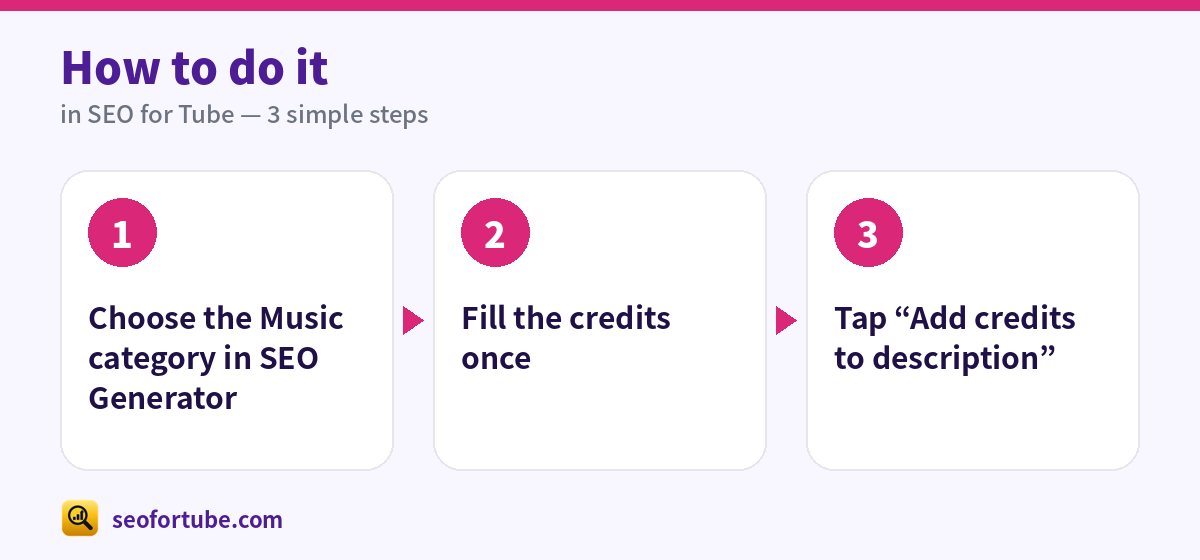
- Choose the Music category in SEO Generator
- Fill the credits once
- Tap “Add credits to description”
Frequently asked questions
Are the credits remembered?
Yes, on your device, so your next song is quicker.
Never invent names?
Right — only add people who really worked on the song.
Do I need a label to grow a music channel?
No. Many independent channels grow with consistent releases, clear credits and Shorts of the hook.
Can I use a famous song’s tune?
No — tunes and lyrics are protected. Make your own, or get permission for a cover.
Summary
How to Write Song Credits in a YouTube Description (Singer, Music, Lyrics, Label): Fields: song, singer, music, lyrics, composer, mix & master, video, label, streaming link, cover of…. One tap adds a CREDITS block to the English and Hindi description — never twice. A note for AI-made songs is added when you tick it.
Made for Indian creators — Hindi, Hinglish and every regional language, and easy on a phone.
Add song credits →