YouTube asks creators to say when realistic content is made or changed with AI. The altered or synthetic content setting in YouTube Studio does that.
It is not for every AI use — only for content a viewer could mistake for real.
- Turn it on for realistic AI voices, faces or events.
- Not needed for clearly fake animation or for AI help with scripts or titles.
- For AI songs with a real-sounding voice, turn it on and say so in the description.
Where to find it
YouTube Studio → upload → Details → “Altered content”.
Why it matters for Indian creators
The direction is clear: YouTube rewards original, valuable and honest content. Every update around altered or synthetic content points the same way, so building good habits now is the safest plan.
In short: turn it on for realistic AI voices, faces or events.
Help in SEO for Tube
Lyrics Writer and the Song credits box add a note when you tick “Made with an AI music app”.
Common mistakes to avoid
- Making good videos private after they got views.
- Buying views or using ad campaigns to reach eligibility.
- Mass-uploading AI videos with no human input.
- Applying for monetization with reused clips on the channel.
Pro tips
- Keep good videos public; they keep earning watch time.
- Make series and playlists to raise watch time per viewer.
- Refresh old videos’ SEO to bring search views back.
- Use AI as a helper, then add your own voice and examples.
A real example
A creator made an AI song with a very human-sounding voice. He turned on “Altered content” in Studio and wrote “Made with an AI music app” in the description. Viewers appreciated the honesty, and the video performed like his other songs.
How to do it, step by step
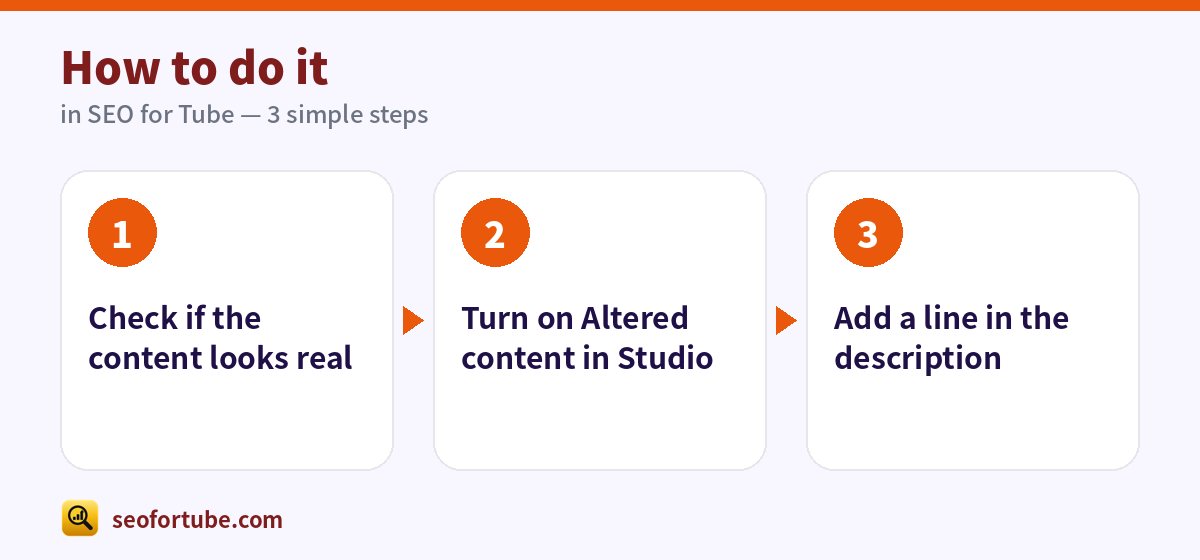
- Check if the content looks real
- Turn on Altered content in Studio
- Add a line in the description
Frequently asked questions
Does the label reduce views?
YouTube says disclosure alone does not limit a video.
What if I forget?
YouTube may add a label itself; repeated failure can bring penalties.
Where can I see my monetization progress?
YouTube Studio → Earn shows the eligibility card with your qualified numbers.
Do Shorts views and watch hours add together?
No. You must complete one path fully.
Summary
When to Turn On YouTube’s “Altered or Synthetic Content” Label: Turn it on for realistic AI voices, faces or events. Not needed for clearly fake animation or for AI help with scripts or titles. For AI songs with a real-sounding voice, turn it on and say so in the description.
Made for Indian creators — Hindi, Hinglish and every regional language, and easy on a phone.
Make a song with the right credits →