
On a news channel, the first good video wins most of the views. YouTube news channel tips come down to two things: speed and trust.
News mode in the Video Planner lets you turn a headline into a planned video fast, with titles that carry place, person, what happened and today.
- Fast: headline to planned video in minutes.
- Titles: place + person + what happened + today.
- Only confirmed facts — never invented numbers.
Speed without mistakes
Write what you know for sure and say what is not confirmed yet. A correction later hurts trust more than a slightly later upload.
Why it matters for Indian creators
Rules also differ. Kids, finance and health videos carry extra responsibility. Following YouTube news channel tips keeps viewers safe and protects your channel from strikes and limited ads.
In short: fast: headline to planned video in minutes.
Shorts for the update
Post a quick Short as soon as you can, then the full video. Link them with a pinned comment.
Common mistakes to avoid
- Planning random topics instead of following the calendar your viewers live by.
- Uploading the same template many times with small changes.
- Promising results — profits, cures, exam selection.
- Skipping disclaimers on finance and health videos.
Pro tips
- Plan a little ahead of the date people search — festivals, exams, seasons.
- Use the one-tap chips for regular formats so you never start from zero.
- Write the place, date or chapter in titles — specific titles win searches.
- Turn your best moment into a Short and link the full video.
A real example
When heavy rain flooded a market in Bhopal, a local creator pasted the headline into the planner, recorded a two-minute report with only confirmed details, and posted a Short within an hour with a pinned link to the full video. His title — “Bhopal New Market Flooded Today: What We Know” — appeared high in search because it was early, specific and accurate.
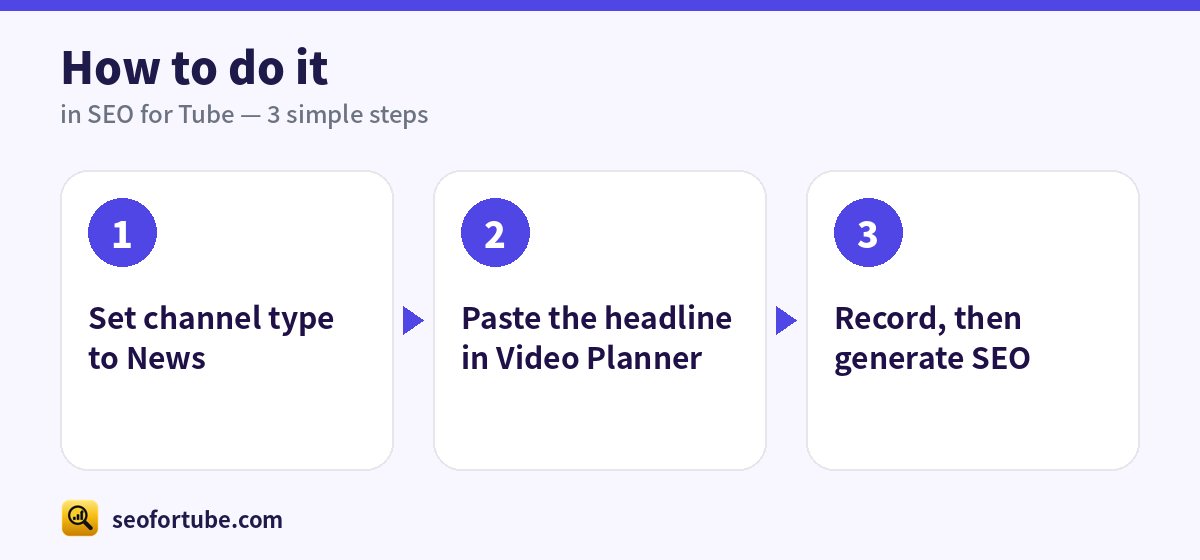
How to do it, step by step
- Set channel type to News
- Paste the headline in Video Planner
- Record, then generate SEO
Frequently asked questions
Can I plan news weeks ahead?
No — news mode focuses on today; plan only regular shows ahead.
Local news?
Yes, add the city or district to titles.
How do I find my channel type?
Look at most of your videos. If most are news, choose News; if most are songs, choose Music. You can change it any time.
Does the channel type change my SEO?
Yes — titles, rules and helpers like the Safety check follow your type and category.
Summary
News Channel Mode: Fast: headline to planned video in minutes. Titles: place + person + what happened + today. Only confirmed facts — never invented numbers.
Made for Indian creators — Hindi, Hinglish and every regional language, and easy on a phone.
Open News mode →