Videos marked Made for Kids on YouTube have comments turned off and some features limited. That changes how a kids channel grows: not through comments, but through series that parents play again and again.
The Kids mode in Video Planner adds a checklist and one-tap series (ABC, numbers, colours, animals, good habits).
- Set every video “Made for kids” in YouTube Studio.
- No “comment below”, contests or links.
- Cheerful, simple titles — no scary or shocking words.
The checklist
1. Studio → Audience → “Yes, it’s made for kids”
2. 2–5 minute videos, bright gentle thumbnails
3. Group videos in playlists for parents
4. Simple titles a parent would search
Why it matters for Indian creators
Each kind of channel has its own rhythm: news is fast, exams follow a calendar, festivals come once a year. Planning with Made for Kids on YouTube in mind puts your video online when people are looking.
In short: set every video “Made for kids” in YouTube Studio.
Safety check for kids
The SEO Generator flags words like “comment”, “contest” or “scary” for kids videos, so you can fix them before uploading.
Common mistakes to avoid
- Not grouping videos into playlists or series.
- Changing channel type every week so tools give mixed advice.
- Planning random topics instead of following the calendar your viewers live by.
- Uploading the same template many times with small changes.
Pro tips
- Refresh old seasonal videos’ SEO a few weeks before the season returns.
- Set your channel type once in Channel Brain so every tool follows it.
- Plan a little ahead of the date people search — festivals, exams, seasons.
- Use the one-tap chips for regular formats so you never start from zero.
A real example
A couple in Pune makes rhymes for toddlers. Early on they ended videos with “comment your favourite animal”, not knowing comments are off for Made for Kids content. With Kids mode they switched to series — ABC, numbers, colours — grouped into playlists for parents, with cheerful 3-minute episodes. Watch time per viewer doubled because parents let the playlist play.
How to do it, step by step
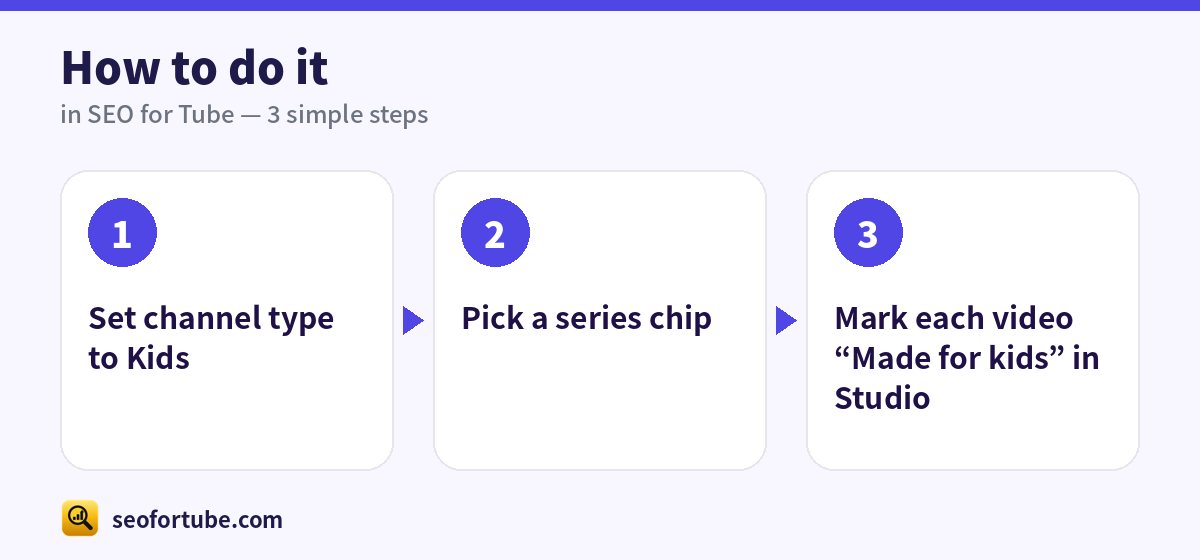
- Set channel type to Kids
- Pick a series chip
- Mark each video “Made for kids” in Studio
Frequently asked questions
Can kids channels earn?
Yes, but personalised ads are off, so views and playlists matter more.
Can I ask for subscribers?
A gentle “subscribe” is fine; avoid asking children to comment.
How do I find my channel type?
Look at most of your videos. If most are news, choose News; if most are songs, choose Music. You can change it any time.
Does the channel type change my SEO?
Yes — titles, rules and helpers like the Safety check follow your type and category.
Summary
Made for Kids Checklist for Indian Kids Channels: Set every video “Made for kids” in YouTube Studio. No “comment below”, contests or links. Cheerful, simple titles — no scary or shocking words.
Made for Indian creators — Hindi, Hinglish and every regional language, and easy on a phone.
Open Kids mode →