Many monetization applications are rejected for reused or repetitive content. A reused content check on your own channel shows risky videos before YouTube reviews them.
Reused Content Finder now always scans the channel in your Channel Showcase — scan and re-scan whenever you like.
- Your channel only — no link to paste.
- Shows the last scan date; re-scan any time.
- If a scan cannot start, coins are returned.
What to do with a risky video
Add your own commentary, change the visuals, or make it private. Remove exact copies of other creators’ work.
Why it matters for Indian creators
YouTube rewards channels that keep improving old videos as well as making new ones. reused content check helps you see both sides in one place.
In short: your channel only — no link to paste.
Before you apply
Scan, fix, wait a little, then apply. YouTube reviews the whole channel, not just new videos.
Common mistakes to avoid
- Reading reports without acting on one point.
- Mixing two channels’ data in one plan.
- Skipping the first two lines of the description.
- Judging a change after one day instead of a week.
Pro tips
- Switch to your second channel before working on it — every tool follows.
- Copy the SEO pack straight into YouTube Studio to avoid typos.
- Check the deep report once a month and pick one quick win.
- Use any video link to connect a channel — it is the fastest way on a phone.
A real example
A movie-clips channel was rejected for reused content. The owner scanned his channel, found 30 videos that were plain clips, made them private and rebuilt his format with voice commentary and his own analysis. Three months later, with a clean scan, he applied again and was accepted.
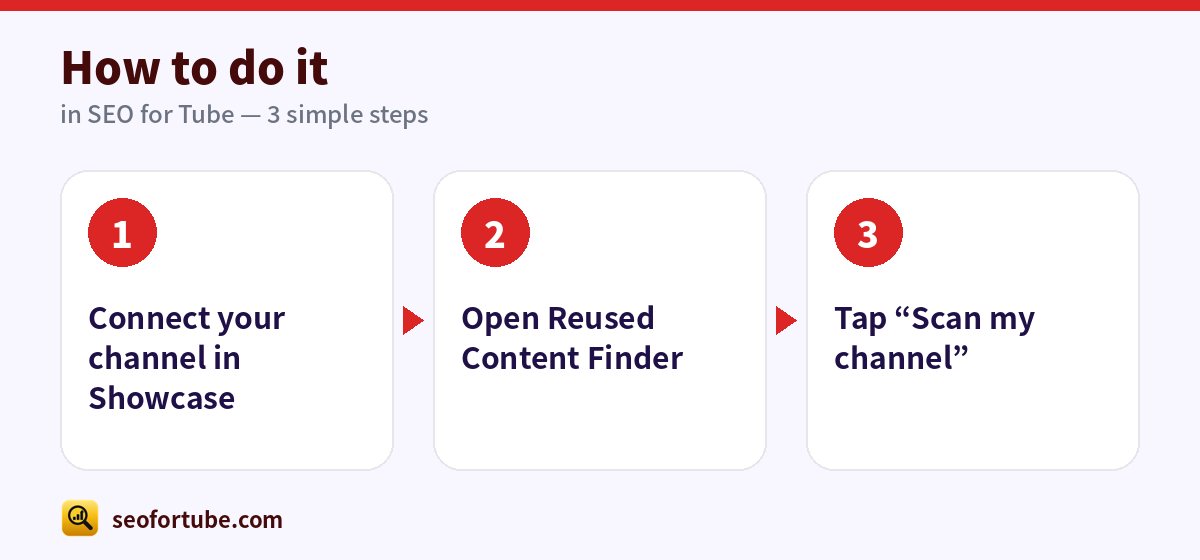
How to do it, step by step
- Connect your channel in Showcase
- Open Reused Content Finder
- Tap “Scan my channel”
Frequently asked questions
Can I scan another channel?
Switch to it in Channel Showcase first.
Is this the same as inauthentic content?
Related — read our guide to the inauthentic content policy.
Does it work on a phone?
Yes — every tool is made for phones first.
Can I use it for two channels?
Yes, up to two channels with one-tap switching.
Summary
Check Your Own Channel for Reused Content Before YouTube Does: Your channel only — no link to paste. Shows the last scan date; re-scan any time. If a scan cannot start, coins are returned.
Made for Indian creators — Hindi, Hinglish and every regional language, and easy on a phone.
Scan my channel →