Many creators run a main channel and a second one — Shorts, a regional language, or a new niche. Being able to manage two YouTube channels without mixing their data saves a lot of confusion.
In Channel Showcase, “📺 Your channels (up to 2)” lets you add a second channel and switch in one tap.
- Up to 2 channels per account.
- Switch → every tool works on that channel.
- Switch back → everything returns exactly as it was.
What follows the active channel
Showcase, Channel Brain, Video Planner, Coach, SEO, Audience Psychology, rank tracking, Reused Content Finder and the deep check.
Why it matters for Indian creators
Most Indian creators work alone, on a phone, between a job and family. Tools that remove small decisions — what to fix first, which keyword is missing, which channel is active — give back hours every week. That is why manage two YouTube channels matters.
In short: up to 2 channels per account.
Removing a channel
Only the saved (not active) channel can be removed, and you are asked first.
Common mistakes to avoid
- Forgetting to re-scan after a big batch of uploads.
- Fixing everything at once and changing working titles too often.
- Ignoring old videos that still get a few views a day.
- Copying competitors’ titles word for word.
Pro tips
- Start every session with the “Do this first” card.
- Fix one weak video a day — small and steady wins.
- Use the missing keywords as your next video ideas.
- Refresh old videos after 7 days, not every day.
A real example
Sneha runs a Hindi cooking channel and a new English Shorts channel. Before, her planner mixed both. Now she adds the Shorts channel as her second channel and switches in one tap. Her Hindi plan, Brain and reports wait untouched until she switches back.
How to do it, step by step
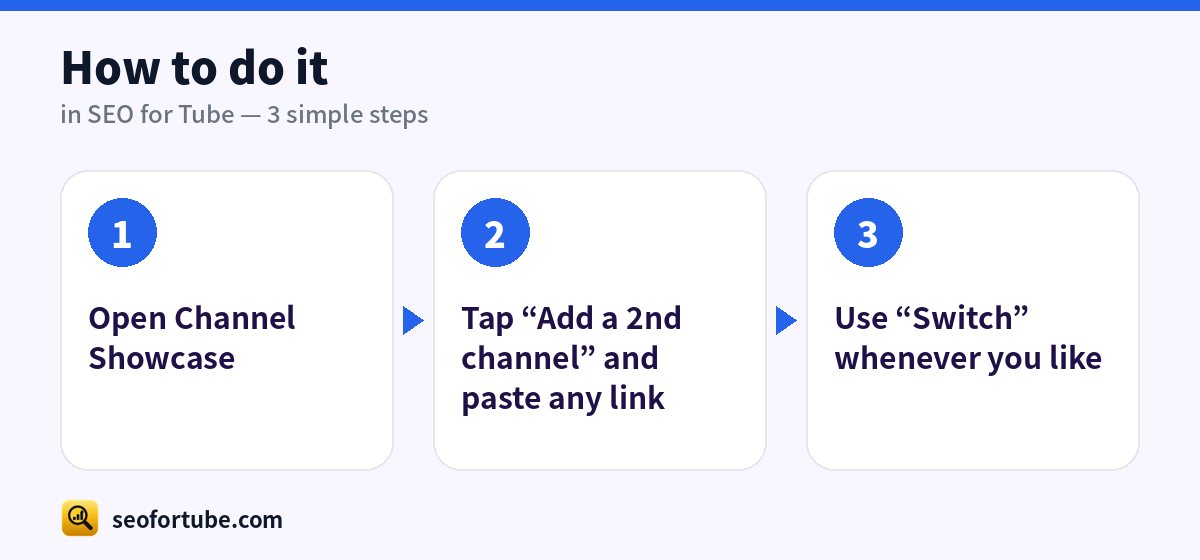
- Open Channel Showcase
- Tap “Add a 2nd channel” and paste any link
- Use “Switch” whenever you like
Frequently asked questions
Is anything deleted on switch?
No — the other channel is saved and comes back as it was.
A third channel?
Remove one first; the limit is two.
Will the tools change my YouTube videos?
No. You copy the suggestions into YouTube Studio yourself.
How often should I check my channel?
A quick look every day at “Do this first”, and a deep check about once a month.
Summary
Manage Two YouTube Channels in One Account: Up to 2 channels per account. Switch → every tool works on that channel. Switch back → everything returns exactly as it was.
Made for Indian creators — Hindi, Hinglish and every regional language, and easy on a phone.
Add your 2nd channel →