Reading a script from a small screen makes your eyes jump and your voice flat. Read mode is a free online teleprompter built into Script Writer and Video to Script — your script, big and scrolling, ready for the camera.
- It opens your script full screen in large letters, scrolls it smoothly at the speed you set, shows a reading line across the middle, and can mirror the text for a teleprompter glass.
- 4 steps: Open your script → Tap Read mode → Set the speed → Press Start.
- Record in sections and join them in editing.
Who is this for?
Talking-head creators who forget lines, read from a phone, or sound flat when reading.
What Read mode does
It opens your script full screen in large letters, scrolls it smoothly at the speed you set, shows a reading line across the middle, and can mirror the text for a teleprompter glass. Shot notes like [B-roll] are hidden automatically.
Record with Read mode — step by step
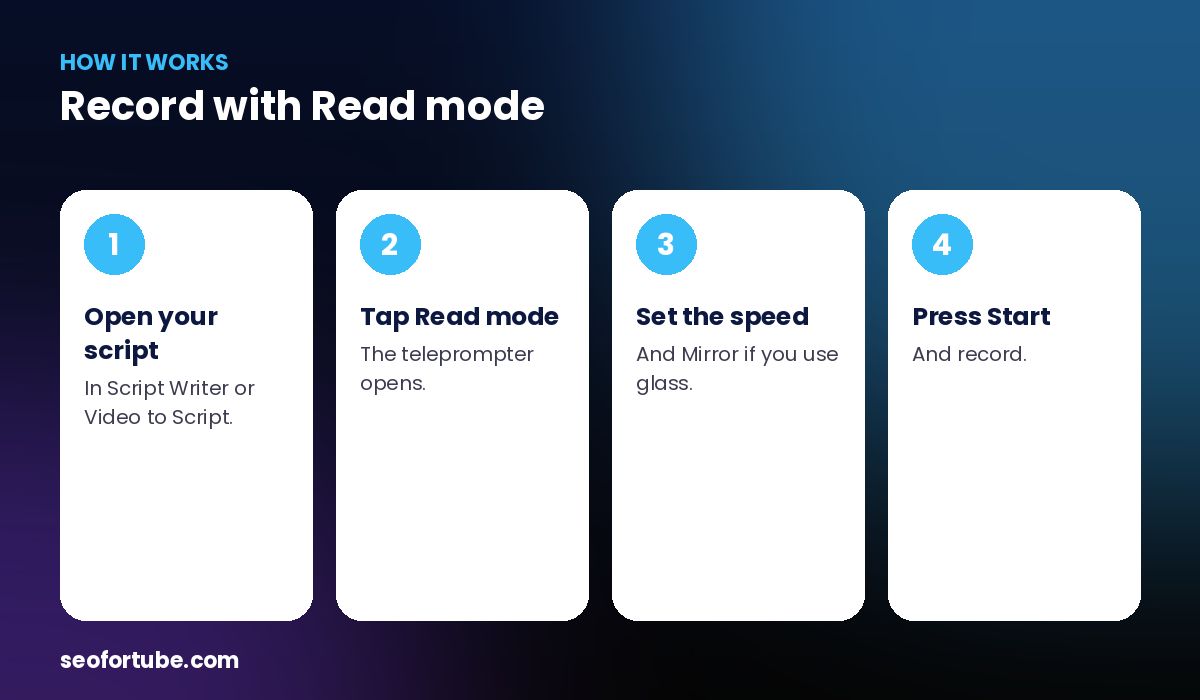
- Open your script — in Script Writer or Video to Script.
- Tap Read mode — the teleprompter opens.
- Set the speed — and Mirror if you use glass.
- Press Start — and record.
Phone or laptop
On a laptop, place the window just under your webcam. On a phone, put the phone above or below the lens so your eyes stay close to it.
Tips for natural delivery
Read each section once before recording, set the speed slightly slower than you think, and pause the scroll at section breaks.
Example: a nervous first recording
A new creator kept forgetting her lines. With Read mode on her laptop just below the webcam, at a slow speed, she finished a 6-minute video in two takes instead of twelve — and viewers commented on how confident she sounded.
Mistakes to avoid
- Speed too fast. Start slow; you can speed up.
- Screen far from the lens. Viewers notice your eyes moving.
- Reading word for word without pauses. Pause at full stops.
- Tiny window. Use full screen.
Smart tips
- Record in sections and join them in editing.
- Use Simpler words before recording if lines feel heavy.
- Use a cheap teleprompter glass with Mirror on.
- Keep water nearby for long scripts.
Hindi mein samjhein
Read mode ek free teleprompter hai — script bade akshar me, apne aap scroll hoti hai, speed aur mirror ke saath. Camera ke saamne padhna aasaan.
FAQ
Is the teleprompter free?
Yes.
Does it work on phones?
Yes, full screen on phone and laptop.
What is Mirror for?
For teleprompter glass, which flips the text.
Are shot notes shown?
No, [B-roll] notes are hidden while reading.